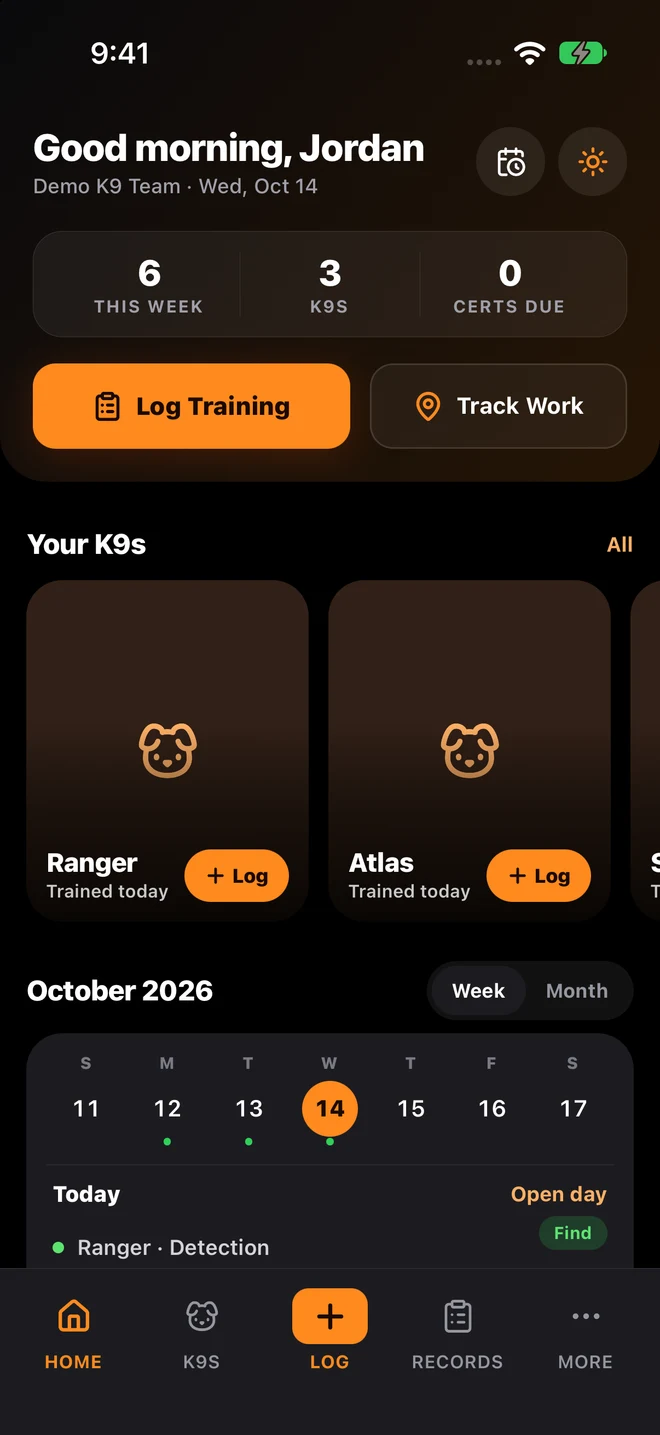
Live route tracking with field context
Record handler and dog movement during training or deployment events, then attach notes, article pins, photos, and outcomes to the same session record.
Built for agencies and private programs that need a clear picture of where dogs, handlers, and field activity have been across training, deployments, and operational reviews. The goal is not just map dots. It is complete context: route history, photos, timestamps, linked training records, and exportable documentation in one system. This workflow lives inside the broader SYSTALOG K9 training management platform with flat $10 per seat monthly pricing, a live web app, desktop support, and native iPhone and Android apps coming soon.
Connected Search Intent
Buyers do not search one way. Some search for pack tracking k9 software, some for K9 training software, some for police K9 records, certification tracking, GPS tracking, or spreadsheet alternatives. These pages now pass visitors and relevance back to the main K9 product pages so the cluster supports a single commercial topic instead of competing with itself.
Many teams can capture a map, but the route ends up disconnected from the session notes, photos, training objective, and outcome. That makes the GPS record useful for the moment and painful later. Supervisors still have to ask who ran the track, what articles were found, what the conditions were, and whether the route supports certification or deployment review.
SYSTALOG K9 Manager ties route history to the full operational record. GPS path, pinned articles, photos, timestamps, handler notes, session outcomes, and compliance metadata all live in the same timeline so the map is part of the record, not a separate attachment.
Step 1
Launch tracking when training or deployment activity begins so route, duration, and field conditions attach to the same record from the start.
Step 2
Pin locations, add photos, log outcomes, and preserve notes while the session is still fresh instead of reconstructing details later.
Step 3
Replay tracks for debriefs, verify movement patterns, and confirm what happened in the field with one connected session record.
Step 4
Use tracked sessions in readiness reviews, command briefings, and audit exports without rewriting route history into another format.
Deep Dive
Real features from the SYSTALOG K9 training management system that support this workflow.
For K9 teams, pack tracking is only useful when route history connects to the operational story. A map alone is not enough. The system needs to preserve context before, during, and after the session so handlers and supervisors can understand the result without hunting across multiple tools.
Key Benefits
Focused on practical controls teams use every day.
Record handler and dog movement during training or deployment events, then attach notes, article pins, photos, and outcomes to the same session record.
Look up movement history by dog, handler, date range, training type, or deployment status without opening separate map exports or shared files.
Pin articles, attach photos, preserve timestamps, and keep route playback tied to the session so reviews are based on evidence instead of memory.
Every tracked session can feed reporting, command review, compliance exports, and supervisory sign-off instead of living as a disconnected GPS artifact.
Comparison
What changes when your team switches to dedicated K9 software.
Platform Features
In this context, pack tracking software means tracking movement and field activity for handler-dog teams in a way that preserves route history, evidence, notes, timestamps, and outcomes as one operational record. It is broader than simple GPS because the map needs to stay tied to the actual K9 workflow.
Yes. SYSTALOG ties tracked routes to the same session records used for training logs, deployment documentation, notes, and reporting. That allows supervisors to review route context without switching systems or matching timestamps by hand.
Yes. During route-based sessions, handlers can attach field evidence such as article locations, notes, and photos so the path is more than a line on a map. This matters in debriefs, coaching, and compliance reviews where simple route playback is not enough.
No. The same workflow can support police units, private kennels, search-and-rescue teams, and other working-dog programs that need route-backed operational records and clear handler accountability.
That is the point. The system is designed to keep route history inside the K9 record itself, so teams do not need to export maps, store screenshots in folders, and then explain the context somewhere else.
Yes. Historical logs, spreadsheets, and other records can be imported so the route-backed sessions live alongside past training and deployment history instead of starting from a blank system.
Visitors on comparison and long-tail K9 pages can now choose between self-serve access and a sales conversation without losing the exact intent that brought them here.
The portal handles sign up, sign in, and sends people into the right workspace after access is confirmed.