
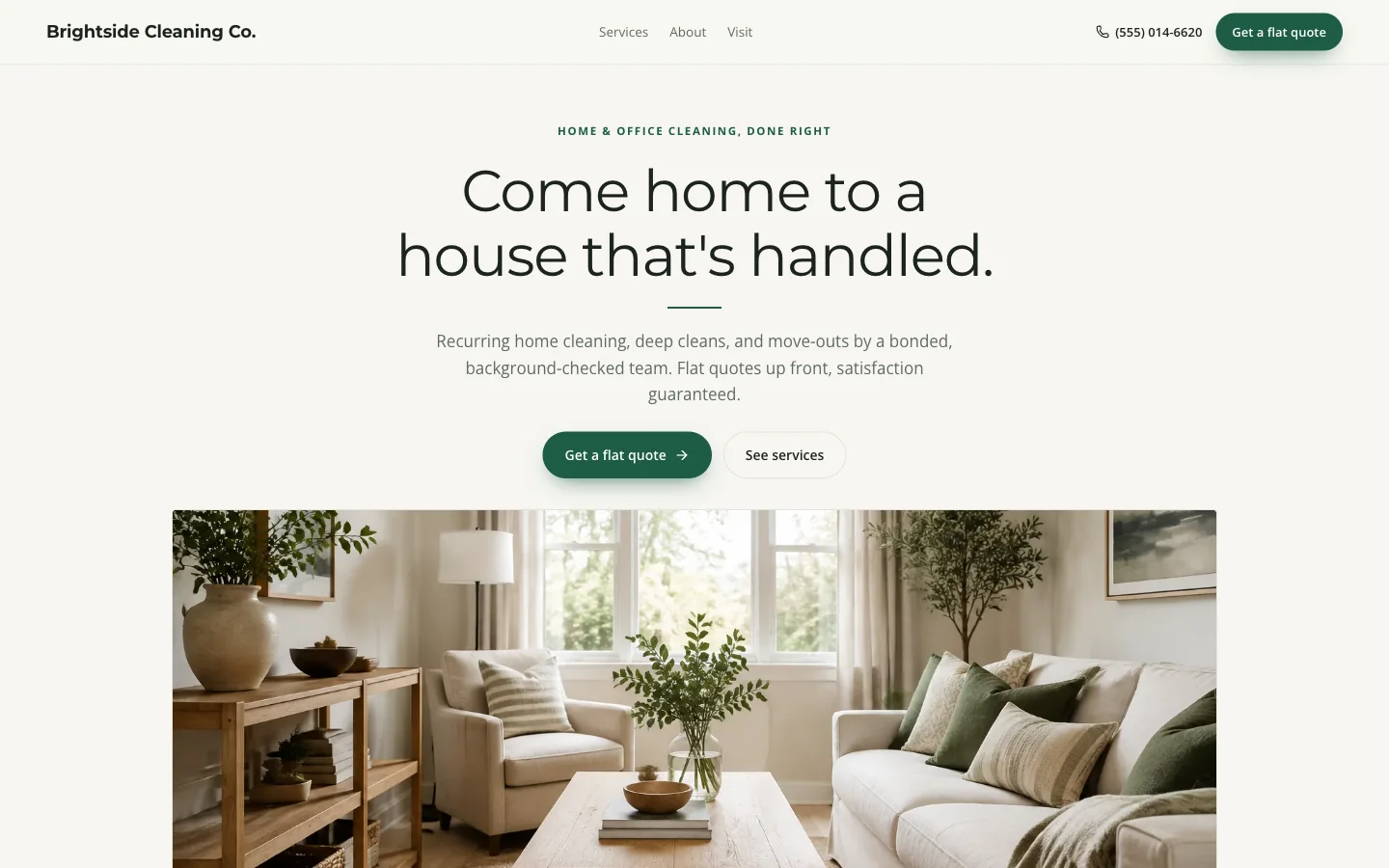
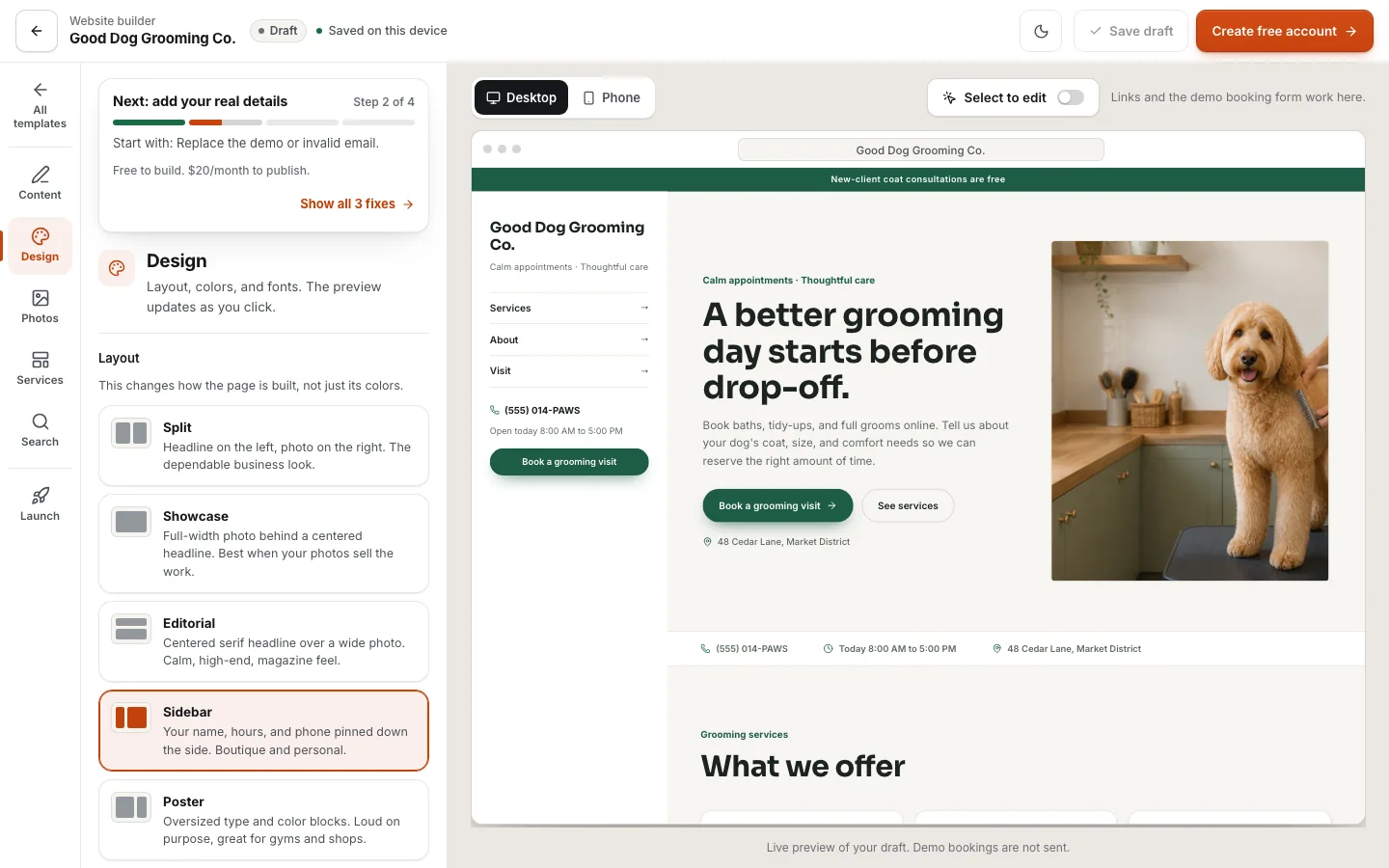
The screenshots show the actual product with example business content. No traffic, revenue, or ranking result is implied. Try the same preview before you create an account.
In this guide
1. Inspect the page and request form
Start in the template library and open a live preview.
- Read the service menu, check the phone layout, and try the request form.
- Preview requests are demonstrations: they do not book a real cleaning crew or send an inquiry to an example business.
- The cleaning design includes a service address and optional home-size question.
- The mobile-detailing design asks for the vehicle, service town, and setup details.
- Choose the one closest to the information your team needs, not just the color you prefer.
- Both remain single-page websites.
2. Replace the example business
Choose Use template or Build this site free to open the editor.
- Replace the business name, introduction, services, prices, hours, contact information, and photos.
- Adjust the supported colors, fonts, layout, and request settings while checking the preview.
- Example photography, guarantees, and credentials are not evidence about your business.
- Remove anything you cannot substantiate.
- Use your own work with permission, list the places you actually serve, and make clear that a preferred appointment time needs your confirmation.
3. Save the draft to an account
A guest can explore the builder before signing up.
- Create or sign into an account to keep a server-saved draft and continue in the website workspace.
- The chosen template and guest draft are carried into that flow; if another draft exists, review the replacement choice rather than discarding work.
- After saving, reopen the workspace and check your business details, services, and chosen design.
- Review the publication checklist and resolve missing contact information or unfinished content.
- A saved draft is not proof that a website is publicly available.
4. Choose the address and publish deliberately
Use an included SYSTALOG address, connect a domain you own, or review a quote for a new domain.
- Hosting is $20 monthly, new domain registration is separate, and building the draft is free.
- Check the charges before confirming the payment.
- After activation, review the page and explicitly publish it.
- Open the public address on a phone and test its contact path.
- Subsequent edits stay in the draft until you publish the updated version.
- Keep the request inbox checked and confirm jobs using your real availability, not an assumed automatic calendar.
Try the workflow in the cleaning quote-form checklist or mobile-detailing vehicle intake.
Try a working template first
Try a complete template, explore its services and request form, and carry your design choices into a free draft.
Try this template