
Who needs a paid seat in Team Training?
Managers who write and assign procedures, and each team member who receives assignments, use a seat.
Team Training
Publish procedures, assign the right version and record staff acknowledgments.
For small teams documenting onboarding, site procedures and repeatable work.
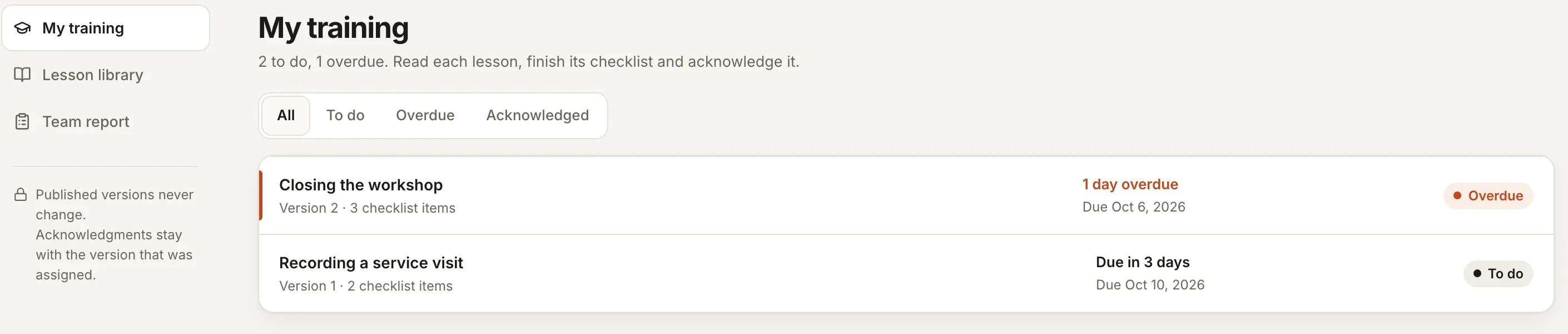
A document in a shared folder does not show who read which version. Assign a published procedure and keep its checklist and acknowledgment together.
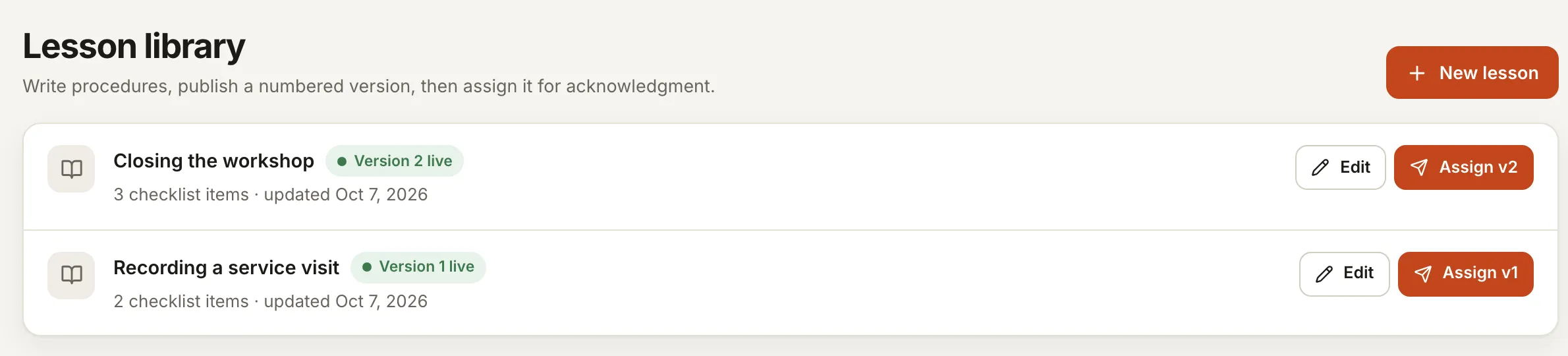
The workshop closing procedure is on version 2, with three checklist items, and Alex Morgan is overdue on it. Recording a service visit, version 1, is still to do for Alex and already acknowledged by Jordan Lee. The team report shows all of that on one screen, and each acknowledgment stays tied to the version the person actually read.
Names and dates are sample data.
An acknowledgment records the assigned user’s response. It does not certify competence or satisfy every industry training requirement. Quizzes, video hosting and accredited courses are outside the initial scope.
One subscription for this product, billed monthly. Every extra seat costs less, and invited customers and vendors are free.
Pay only for your own staff. Customers, clients and vendors you invite are free guests and never use a seat.
That is $9.20 a seat on average, $4 less than paying $10 for every seat.
| Seats | Each, per month |
|---|---|
| First seat | $10 |
| Seats 2 to 5 | $9 |
| Seats 6 to 10 | $8 |
| Seats 11 to 25 | $7 |
| Seat 26 and up | $6 |
Managers who write and assign procedures, and each team member who receives assignments, use a seat.
Not in the initial scope. Quizzes, video hosting and accredited courses are outside it, and an acknowledgment records a response rather than certifying competence.
Yes, in supported workspaces. Ask in plain words and the assistant prepares the change. You see exactly what will change and approve it first, and your normal permissions still apply. Each plan includes an AI allowance; everything still works by hand when it runs out.
No. Every product except Website Follow-up works on its own. Website Follow-up comes included with a published SYSTALOG website.
Request a scoped buyout quote. The quote defines the software, license and handoff. Ongoing hosting, provider usage and support are separate; a buyout does not promise unlimited services forever.
Create an account, choose your staff seats and invite your team. Customers and vendors you invite never use a seat.