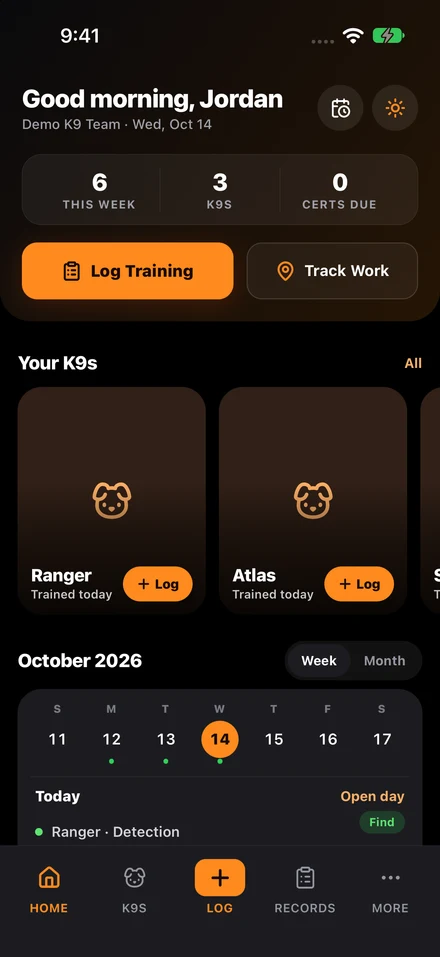
K9 deployment tracking works when handlers record seven facts at the scene (date and time, dog, handler, location, deployment type, objective, and outcome) and add the narrative, route, and attachments later the same shift. Supervisors then review deployments on a set schedule.
Tracking fails when the record asks for too much during a live event or too little afterward. Separating required capture from optional detail keeps the handler focused and still produces a record that holds up in review.
Checklist
- Capture date/time, handler, dog, location, deployment type, objective, and result first.
- Attach GPS route, photos, incident number, and follow-up notes to the same event.
- Review deployments for missing details and training implications on a set cadence.
- Minimize free typing with structured fields and smart defaults.
Capture the minimum deployment record first
In the field, the required data should be short and obvious: date and time, handler, dog, location, deployment type, objective, and outcome. If conditions or route history matter, the system should capture them automatically where possible instead of forcing the handler to type everything manually.
That minimum record is what keeps the event from disappearing into memory. Once it exists, the rest of the documentation can be added during the post-event review window.
Context should be attached, not reconstructed
Teams often know that terrain, weather, route path, and support personnel matter. The mistake is storing that context separately from the deployment record. If route maps live in one app and notes live in another, the record gets weaker every time someone has to reconcile them later.
A better system attaches media, GPS, and follow-up notes directly to the event so the operational timeline stays intact.
Handlers need speed, supervisors need reviewability
A deployment tool that serves only leadership will fail in the field. A tool that serves only the handler will fail during review. The workflow has to support both: fast capture for the handler and clean filtering for the supervisor.
Deployment logs should not be stand-alone forms. They belong to the larger dog, handler, and readiness record described in the complete guide to K9 unit management.
Post-event review should be routine
The documentation process is not complete when the handler hits save. Supervisors should review deployments on a regular cadence for missing details, repeat patterns, and training implications. That review loop is how the team gets operational value out of the record instead of merely archiving it.
When the system supports comments, approvals, or follow-up tasks, those reviews become part of readiness management rather than administrative overhead.
The field workflow should reduce typing, not increase it
Handlers should not need a desktop-style data entry session after every event. Smart defaults, pre-filled dog and handler data, and structured outcome fields are what make deployment tracking sustainable. The easier the capture path, the more complete the record will be over time.
The test is simple: the record must be fast enough to use and complete enough to trust.
Questions teams ask
What should handlers capture first during a deployment?
The minimum record is date/time, dog, handler, location, deployment type, objective, and outcome. Extra narrative can come after the event stabilizes.
Why attach GPS and media to the deployment record?
Attached context keeps the operational timeline intact. Separate maps, photos, and notes create reconciliation work when supervisors or legal reviewers ask questions.
Sources cited in this guide
Continue reading
Continue with the complete guide to K9 unit management for the broader operating model, or see K9Codex, our K9 training software for how training records work in the app.