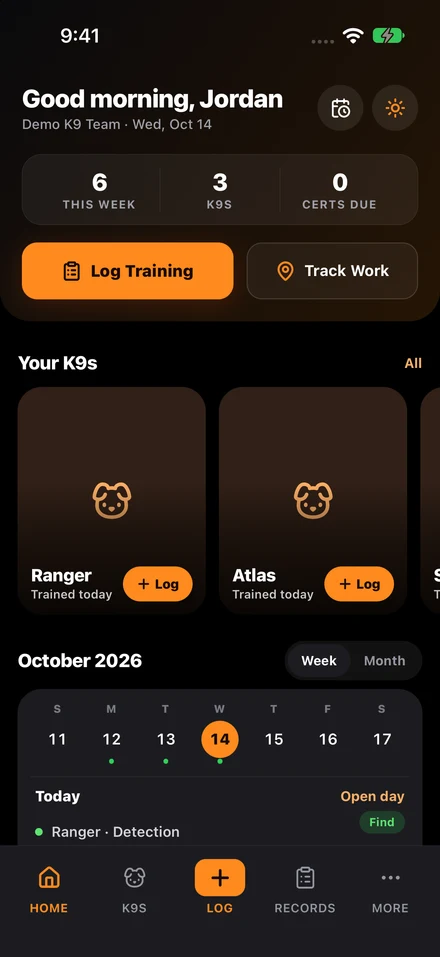
Look for K9 management software that keeps dogs, handlers, training sessions, certifications, and deployments in one connected record, keeps an audit trail of every change, works on a phone in the field, and exports clean reports without spreadsheet cleanup. Judge it by running your weekly workflow in a live demo, not by reading the feature list.
Most K9 software evaluation mistakes happen because buyers compare feature lists instead of workflows. A platform can claim reports, alerts, and dashboards while still forcing the team to maintain critical records outside the system.
The better approach is to judge the software on the key jobs a K9 program must perform every week. If the workflow works there, the feature list usually takes care of itself.
Checklist
- Demo dog, handler, training, certification, deployment, and reporting workflows end to end.
- Confirm audit trails preserve user, timestamp, and previous value.
- Test mobile capture under real field constraints.
- Ask how the system handles missed renewal windows, missing fields, and supervisor approvals.
Start with the core operating records
The software should manage dogs, handlers, training sessions, certifications, and deployments in one connected system. If one of those records has to live elsewhere, the unit will still spend time reconciling data and answering basic readiness questions manually.
A buyer should ask to see those records in the product, not merely listed on a slide.
Look for structured logging and real audit trails
The product should enforce useful structure in session logs and preserve a clear audit history for record changes. That means supervisors can trust the record over time and understand what changed if a review question comes up later.
If the platform cannot show who changed a certification, who updated a status, or what the previous value was, it is weak for high-accountability programs.
Test the renewal workflow, not the alert icon
Certification tracking should do more than display a date. It should support warning windows, ownership, supporting evidence, and clean status views. Buyers should ask how the system helps a team move from “expiring soon” to “renewed” in practice.
If you are comparing vendors against the complete guide to K9 unit management, this is one of the clearest checkpoints: ask each vendor to renew a certification live, from warning to renewed.
Mobile and field usability matter
Handlers need a workflow they can use quickly in the field. If the interface is too heavy or too office-oriented, record quality will drop because the path is inconvenient. Buyers should test the mobile capture flow as well as the desktop dashboard.
A practical system minimizes typing, uses structured fields, and keeps the important context attached to the event record.
Reports should come out clean without manual rebuilding
The final test is reporting. Can a supervisor export training records, certification status, or date-range summaries quickly? If reporting still requires spreadsheet cleanup, the product is not solving the real admin burden.
Software built for K9 work should reduce the load for handlers and command staff alike, not move it from one person to another.
Questions teams ask
What is the fastest way to evaluate K9 software?
Ask vendors to perform the weekly operating workflow live: create a session, renew a certification, log a deployment, review readiness, and export a report.
Which feature matters most for audit readiness?
Structured records plus audit history matter most. Dashboards are useful, but the underlying record must be complete, searchable, and defensible.
Sources cited in this guide
Continue reading
Continue with the complete guide to K9 unit management for the broader operating model, or see K9Codex, our K9 training software for how training records work in the app.