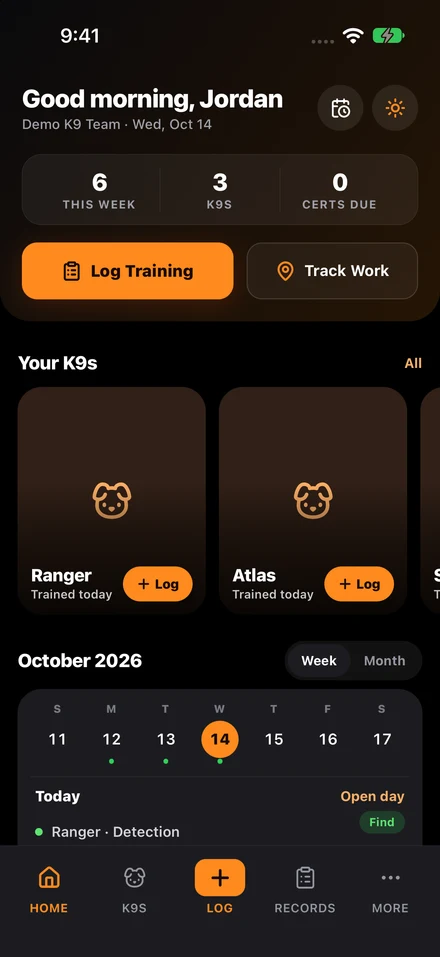
To replace K9 spreadsheets, move four jobs into a structured records system in this order: dog and handler profiles, training logs, certification dates with renewal owners, and deployment history. Then switch reporting to the new system and make the old spreadsheet read-only so nobody keeps two versions.
This article walks through that move as an illustrative example, not a customer story. Picture a unit whose tracking spreadsheet has grown tabs for dogs, handlers, certifications, notes, reminders, and reports, and now does all of those jobs badly.
Checklist
- Inventory every spreadsheet tab and identify the workflow it was trying to support.
- Move core dog, handler, training, certification, and deployment records first.
- Make the new system the official record before retiring spreadsheet tabs.
- Measure success by review speed, report quality, and reduction in missing fields.
Before: the spreadsheet holds data, not a process
In the example unit, the spreadsheet stores the basics. Each dog has a row, certifications have dates, and supervisors can sort upcoming expirations if someone kept the file current. What it cannot do is enforce the process: it cannot require complete session fields, keep a history of who changed what, or link a deployment to the rest of the dog and handler record.
So the information exists, but supervisors still need side conversations and manual checks before they trust it.
Move four workflows first
Start with the four jobs spreadsheets handle worst once several people edit them: structured training logs, certification renewals, deployment history, and reporting. Moving those into one system removes most of the double entry and the reliance on one person’s memory.
In K9Codex, that means adding dog profiles and handler assignments first, then recent training logs and current certification dates, so the renewal list is right from day one. Older paper or spreadsheet history can come in afterward through AI-assisted import, with a person reviewing each record before it is saved.
After: supervisors review instead of reconstructing
The goal is that a supervisor can review the unit without rebuilding its history first. Training logs share the same fields, certification records carry a warning window and an owner, and deployments sit in the same timeline as the dog and handler records.
That is the same progression described in the complete guide to K9 unit management. When you evaluate software for it, judge review speed and report quality, not screen design.
Reporting becomes routine
With a spreadsheet, a summary report means exporting, cleaning, formatting, and checking whether the file was up to date. With structured records, the report comes straight from the data.
That changes how often teams report. When reporting is painful, it happens only under pressure. When it is easy, supervisors run it more often and catch problems earlier.
How to tell the switch worked
Look for fewer hidden failures: fewer renewal windows that slip, fewer notes left incomplete, and fewer records that live on one person’s laptop. If supervisors can answer readiness questions without manual reconciliation and exports need less cleanup, the new system is doing its job.
Keep the old spreadsheet read-only for a set period after the cutover so nobody edits two versions, then archive it with the date of the switch.
Questions teams ask
What should a K9 unit migrate first from spreadsheets?
Move dog profiles, handler assignments, training logs, certifications, and deployment history first. Those records drive most readiness and audit workflows.
How do you know the spreadsheet replacement worked?
Supervisors can answer readiness questions without manual reconciliation, exports require less cleanup, and renewal or missing-field issues surface automatically.
Sources cited in this guide
Continue reading
Continue with the complete guide to K9 unit management for the broader operating model, or see K9Codex, our K9 training software for how training records work in the app.