K9 compliance reporting software that builds the report from logs you already have

Build K9 compliance reports from the training and certification records your handlers already log, instead of rebuilding the same spreadsheet every month. K9Codex produces certification status, odor compliance, performance, and GPS track reports, plus PDF and CSV exports. Runs on iPhone, the web and Mac, for one handler or a whole unit.

  • $10 per seat a month
  • iPhone, web, Mac
  • Free download

The iPhone app is a free download. Workspace access needs a subscription or a team invitation: web seats are $10 per seat a month, and Apple shows in-app pricing before purchase. Set up a workspace on the web

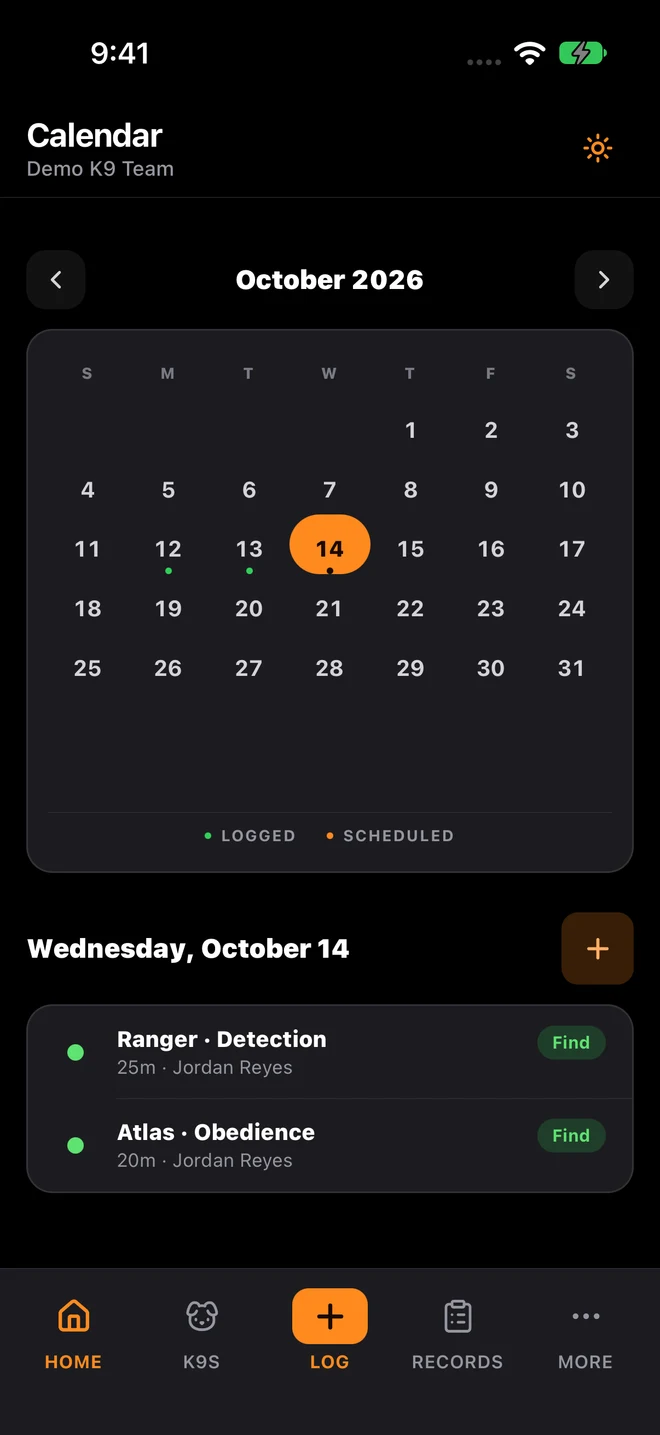
K9Codex iPhone calendar with sample data: October training dates and the selected day’s sessions

Who this is for

  • Unit admins responsible for compliance documentation and audit preparation
  • Supervisors preparing recurring review packets for command staff
  • Leaders who need training summaries for accreditation and legal review
  • Teams tired of rebuilding the same report by hand every cycle

Every report takes hours and comes out a little different

Every review cycle someone loses hours of training time rebuilding the same report by hand.

The fix

K9Codex builds reports from the records already in the system: certification status, odor compliance, performance by odor and hide, GPS tracks, and CSV exports with the columns you choose. When a reviewer questions a number, the session records and their change history are there to check.

How teams switch over

One step at a time, without stopping training.

  1. Define compliance output needs

    Write down which reports your agency and outside reviewers expect, and match each one to a K9Codex report or export.

  2. Keep operations data current

    Log sessions and certification tests as they happen, so a report run today includes this week.

  3. Generate reports on schedule

    Run monthly, quarterly, or custom-range reports without reconciling spreadsheets first.

  4. Keep the files you submit

    Save each exported report according to your retention policy. The records behind it stay in K9Codex with their change history.

What it looks like in the app

The K9Codex screens that handle this job.

The reports in K9Codex today

The web workspace has five report views, and the iPhone app creates three files you can share. Each can be narrowed by date range and dog, and the CSV export can also be filtered by handler, training type, and result.

  • Odor compliance: which dogs are due or overdue on odor training, with sessions in the last 30 days
  • Certification: current, expiring, and expired certifications with test history
  • Performance: finds, misses, and success rates by odor, hide height, depth, and container
  • GPS tracks: tracked sessions with their article pins and results
  • CSV export: the training log columns you choose, filtered to the records you need
  • On iPhone: Training Activity PDF, Certification Status PDF, and Training Logs CSV

What you get

The parts your team will use every week.

The same report every cycle

Run the same report type for a new date range each month or quarter, so the layout and field names stay the same.

Certification status rollups

See current, expiring, and expired certifications for every dog and its handler in one report.

Training activity aggregation

Count sessions, outcomes, and odor training by dog and period, and list GPS tracks with their article results.

Built from the source records

Reports read the same training logs and certifications the team entered, and the audit trail shows any change to those records.

Paper and spreadsheets vs K9Codex

Same job, two ways.

TaskWithout dedicated softwareWith K9Codex
Monthly compliance reportCompiled by hand from several sourcesGenerated from the logged records for the month
Certification status overviewSeparate spreadsheet or manual countReport with current, expiring, and expired certifications
Data verification for reviewersReviewer must ask the team where numbers came fromSession records and change history are available to check
Report consistencyDifferent format each cycle depending on who compiles itSame report type and layout every cycle
Historical comparisonDig through old files to compare periodsRun same report for any date range and compare side by side

Questions we get

Still not sure? Ask for a walkthrough and we'll show you the live app with sample data.

What compliance reports can K9Codex produce?

On the web: odor compliance, certification status, performance (finds, misses, and success rates by odor, hide height, and container), GPS tracks, and a CSV export of training logs. On iPhone: Training Activity PDF, Certification Status PDF, and Training Logs CSV. Most can be narrowed by date range and dog.

Can reports be generated for specific date ranges?

Yes. Choose a preset such as the last 30 or 90 days or a year, or set your own range, so a monthly or quarterly summary uses the same report each time.

How do reviewers verify the data in a compliance report?

Reports are built from the training logs and certifications in K9Codex, so a reviewer can open the sessions behind a number. The audit trail shows who created or changed each record, when, and the old and new values.

Can different team members generate reports independently?

Yes, depending on role. Admins and supervisors see the whole unit; handlers see the dogs and records their role allows.

Are compliance reports exportable for external systems?

Reports export as PDF or CSV. CSV files open in Excel or can be loaded into another system, and you choose which training log columns to include.

How does this reduce report preparation time?

The records are already in one place with the same fields, so a report is a few choices (report type, dogs, dates) instead of copying data between spreadsheets. You still need to check the output before it is submitted.

K9Codex

Try it on the work your team does every week

One dog, one session, one report. If the fields and the export fit how you work, bring the team in.

© 2026 Systems Logic & Automation Group LLC

Studio prices are examples; every custom project gets a flat quote first. K9Codex supports recordkeeping and does not replace an audit. GemFit.ai is not a medical device.