K9 Record Keeping Software

K9 record keeping software: from field training log to reviewed report

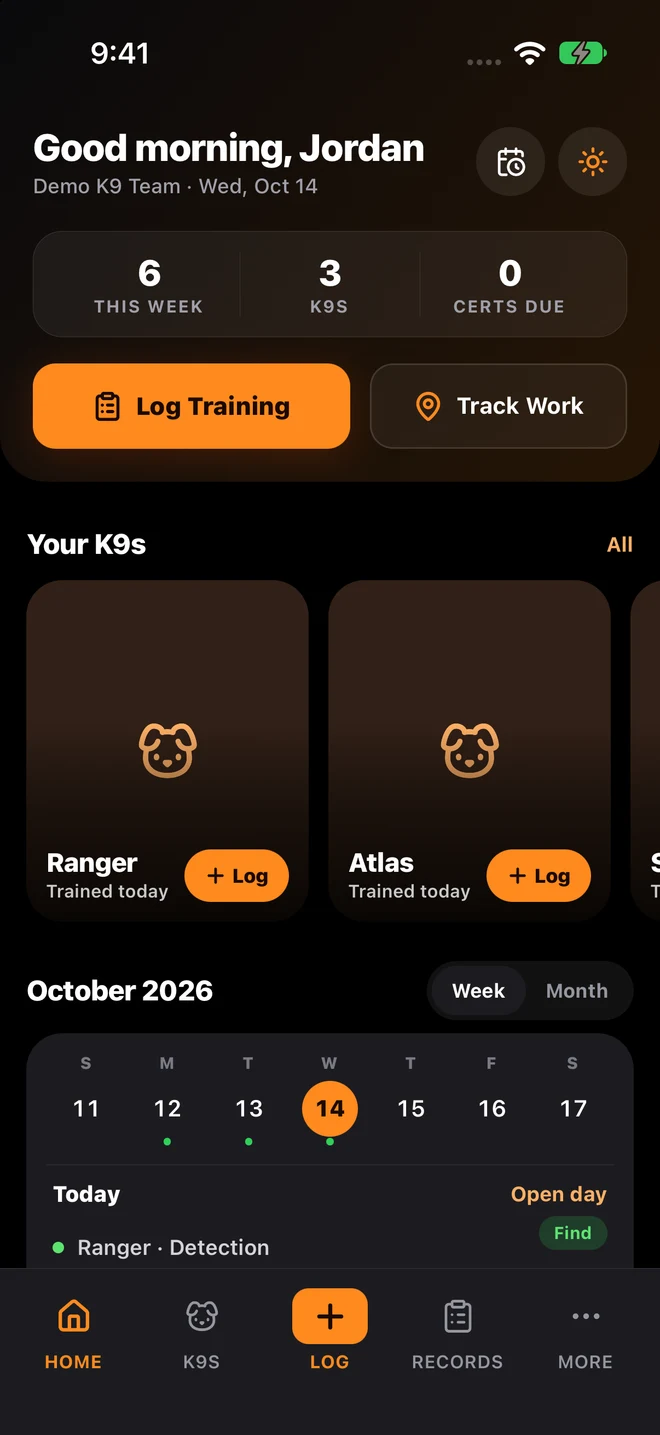
A useful K9 training record explains who worked the dog, what happened, and what needs follow-up. K9Codex connects session details, handler observations, certification dates, and reports in a private or team workspace. Start with one dog and a consistent logging routine, then build a history you can review. K9Codex is available on iPhone, web, and desktop for independent handlers and working-dog teams.

Free app download; organization access requires a seat subscription or an existing team invitation. Prices and terms are shown before purchase.

Set up a workspace on the web

What belongs in a working-dog training log?

Use this checklist to evaluate a record before adopting any K9 record keeping software. These are practical documentation fields, not a universal certification standard. Your organization and certification body decide which details and approvals are required.

Identity and timing
Connect the entry to the correct dog and handler. Record the training date and duration so a later review has the original session context.
Exercise and conditions
Describe the training type, location, weather, and relevant training aids. Add GPS details when useful; a route alone does not explain what the dog was asked to do.
Outcome and observations
Record the result and what you actually observed, including difficulties or follow-up work. A useful history includes sessions that need improvement, not just successful exercises.
Review and reporting
Check the entry for missing details before sign-off. When sharing an export, verify its dog and date filters and confirm that the included fields match the recipient’s needs.

Walk through a sample before moving your records

Open the fictional Atlas obedience record to see how session conditions, handler notes, and trainer feedback fit together. The sample is illustrative, not a customer record or a promise of a particular export layout. In the iPhone app, Reports offers Training Activity PDF, Certification Status PDF, and Training Logs CSV; check the output against your reporting process.

Open the sample training report

See the record-to-report walkthrough · Explore reviewed imports for older forms

Before you move your records

Test the workflow your team uses every week

Start with one dog, one training entry, and one report. Check which fields your handlers need, how a supervisor reviews the record, and whether the export fits your existing process. In a walkthrough, we can show the live app using sample data—no operational records are needed to evaluate it.

The Problem

A folder full of records is not the same as a usable training history

A handler may have notes on a phone, older sessions in a spreadsheet, and certificates in a separate folder. Reconstructing a timeline means checking each source and resolving missing context. More files do not automatically make a record complete.

How SYSTALOG Solves It

K9Codex brings daily entries and dog profiles into one workspace. Use consistent fields, review entries regularly, and check reports against the source. Keep original historical documents and resolve uncertain details during migration rather than assuming any import is complete.

Who this supports

  • Independent handlers organizing their own working-dog training history
  • Training managers coordinating records across dogs and handlers
  • Supervisors checking session details before sign-off
  • Programs moving from paper logs, spreadsheets, or separate folders

Implementation flow

Step 1

Start with a small record set

Choose one dog and a few representative sessions. Include an ordinary training day and an entry that needs follow-up so you can test both workflows.

Step 2

Capture the session while it is fresh

Enter the exercise, result, duration, conditions, and observations. If an iPhone log is queued offline, confirm that it syncs when the connection returns.

Step 3

Review the details

Check dates, dog and handler assignments, and any imported fields against their source. Review AI-assisted drafts before saving; extraction can be incomplete or wrong.

Step 4

Check an export end to end

Choose the dog and reporting window, generate the file, and compare it with the underlying records. Confirm your organization accepts the format and keep exports according to its retention policy.

Core capabilities

Focused on practical controls teams use every day.

Session records in one workspace

Keep training type, duration, result, conditions, notes, and supporting media connected to the right dog and handler.

Dog and certification context

Review profiles and certification dates alongside training history. Software organizes the documentation; it does not certify a dog or establish compliance.

Role-aware review

Authorized team members can review training records and use supervisor sign-off workflows. Agree on responsibilities before inviting your team.

Practical report formats

Use the iPhone Reports screen for Training Activity PDF, Certification Status PDF, and Training Logs CSV. Inspect a sample export before relying on it for an external review.

Comparison

Before and after

What changes when your team switches to dedicated K9 software.

Feature
Without Software
With SYSTALOG
Daily logging
Separate notes and spreadsheet rows
Structured sessions connected to a dog and handler
Team review
Send copies between reviewers
Role-aware access and sign-off workflows
Reporting
Compile a report from separate sources
Generate PDF or CSV output and verify the included records
Older records
Retype fields from original forms
Use reviewed AI-assisted imports where appropriate

Platform Features

Explore the features behind this workflow

Frequently asked questions

Your next training day

Bring one workflow. See how it fits.

Create a web account to set up your workspace, sign in to an existing organization, or ask for a live walkthrough before deciding. Your agency still sets its training and certification requirements.

Handler entrySupervisor reviewReport export

The portal handles sign up, sign in, and sends people into the right workspace after access is confirmed.

Explore SYSTALOG

Prices are examples; every project is quoted flat first. K9Codex supports recordkeeping, not a replacement for audits. GemFit.ai is not a medical device.

© 2026 SYSTALOG.ai